DomainWarn for iPhone and Android
When a client’s website goes down at night, your phone rings – even on silent. With “I’m on it” you take on the alert right from the notification, and the alarms stop for everyone. You carry the overview, clients and domains with you.
- Coming soon to Google Play
- Coming soon to the App Store
The apps are finished and will appear in the stores shortly. They are part of every plan, the free one included.
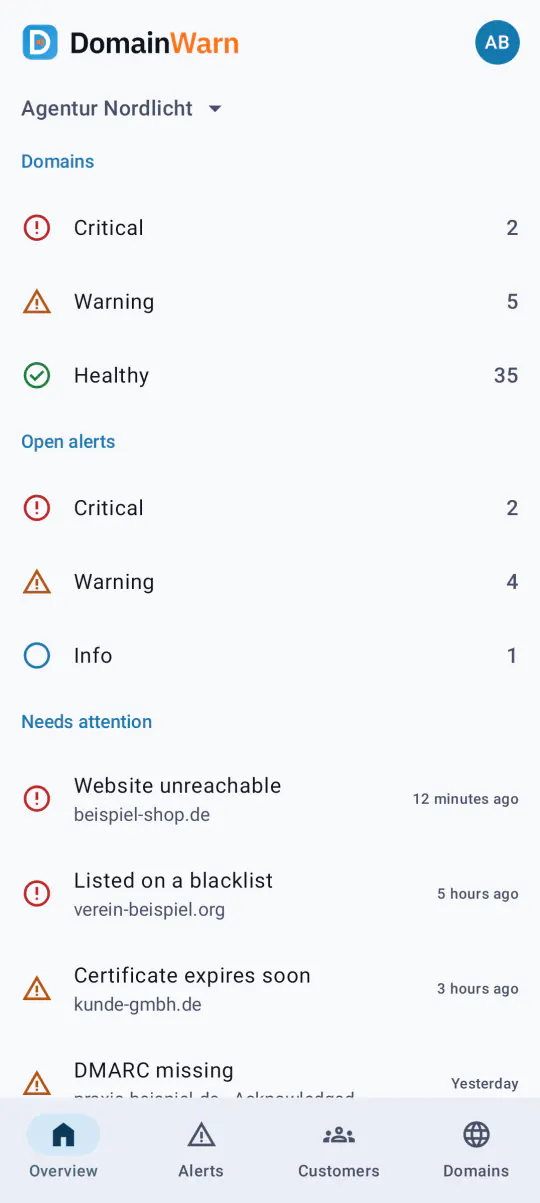
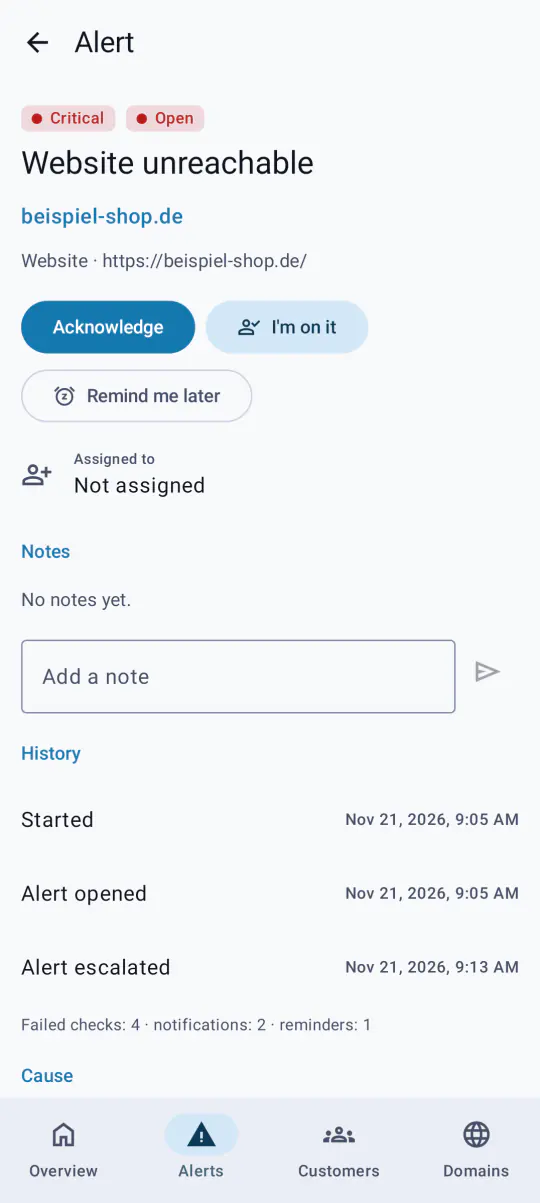
What the apps do
Alarms that ring on silent
Real outages – website unreachable, DNS gone, mail reception down, certificate expired – ring even when the phone is on silent or in Do Not Disturb and repeat until someone responds. Only for the clients and domains you choose.
Act from the notification
“Acknowledge”, “I’m on it” and “Remind me later” right in the notification, without opening the app. The others see at once who is on it, and their alarm stops.
Only what you want
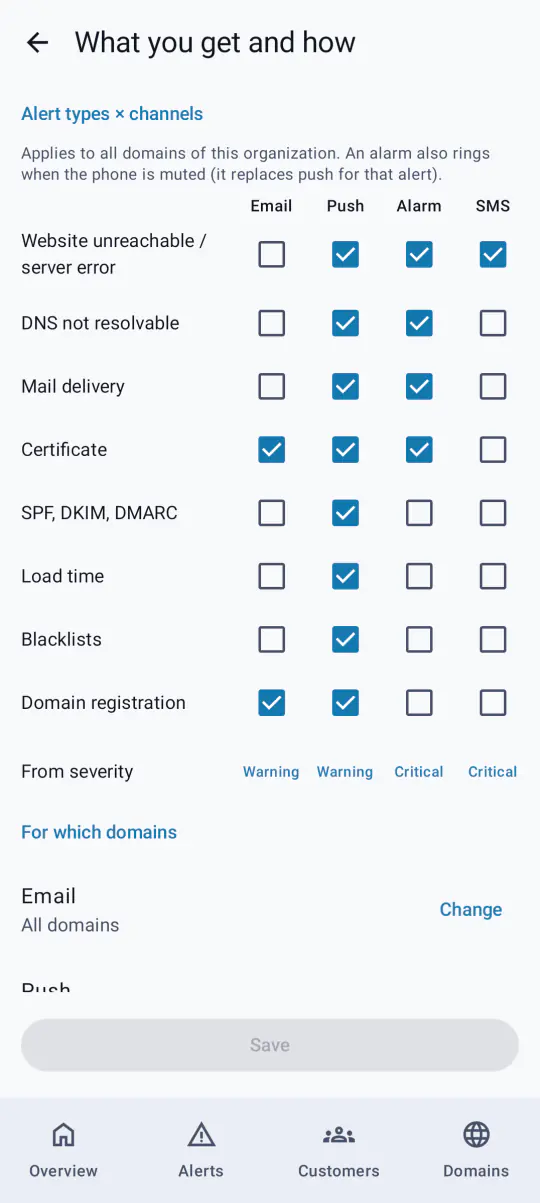
Per alert type you choose email, push, alarm or SMS, for all domains or only selected clients, with your own quiet hours – in the app as in the dashboard.
Widgets with your logo
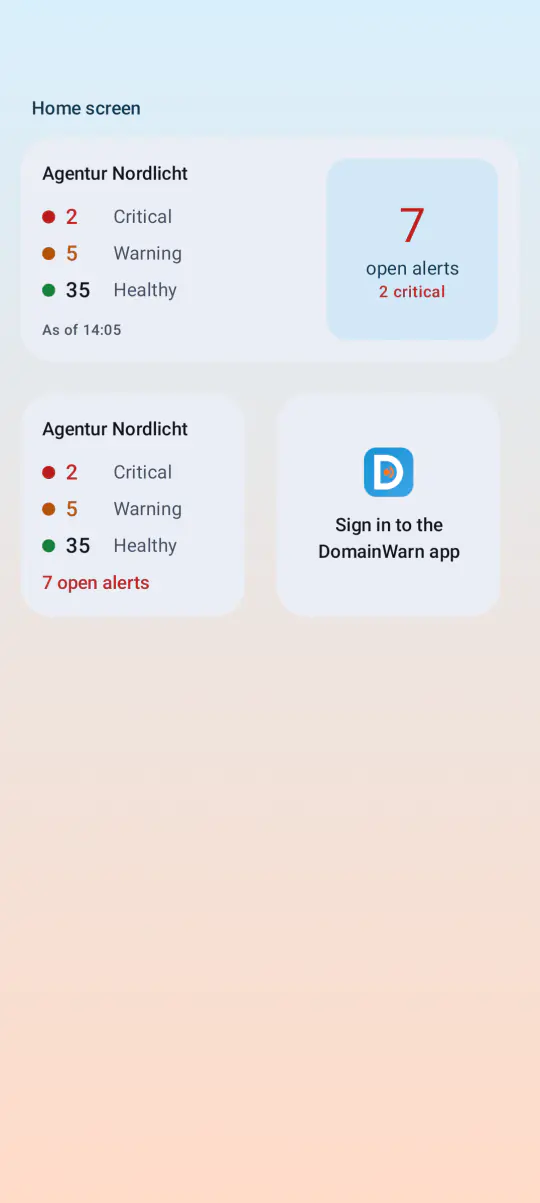
State and open alerts on the home and lock screen, with your organization’s logo instead of ours. Plus a Live Activity or ongoing notification for critical alerts.
Apple Watch and Wear OS
Open alerts on your wrist, acknowledge with a tap, a complication or tile with the number of critical alerts.
Inform the client, start maintenance
Write an incident notice to the client’s status page and email them from the alert, start quick maintenance for a domain or all of a client’s domains, leave notes for the team.
Clients and domains on the go
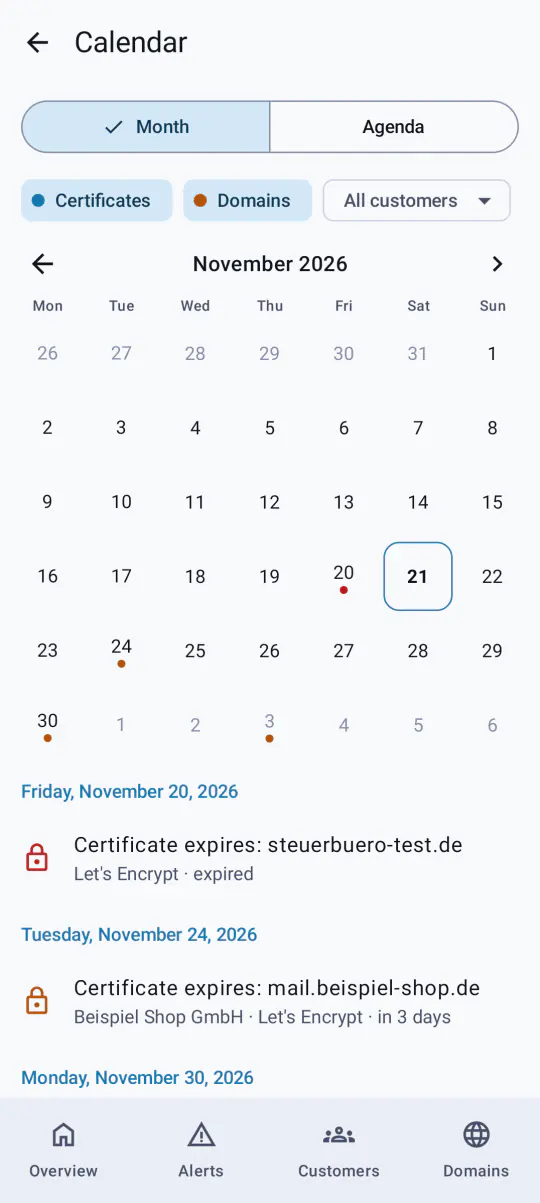
Domains with every check, “Check now”, add a domain by sharing from the browser, create clients and share monthly reports as PDF.
Offline and locked
The last state stays encrypted on the device and is readable without a connection. App lock protects it with Face ID, fingerprint or the device passcode.
Shortcuts and tablets
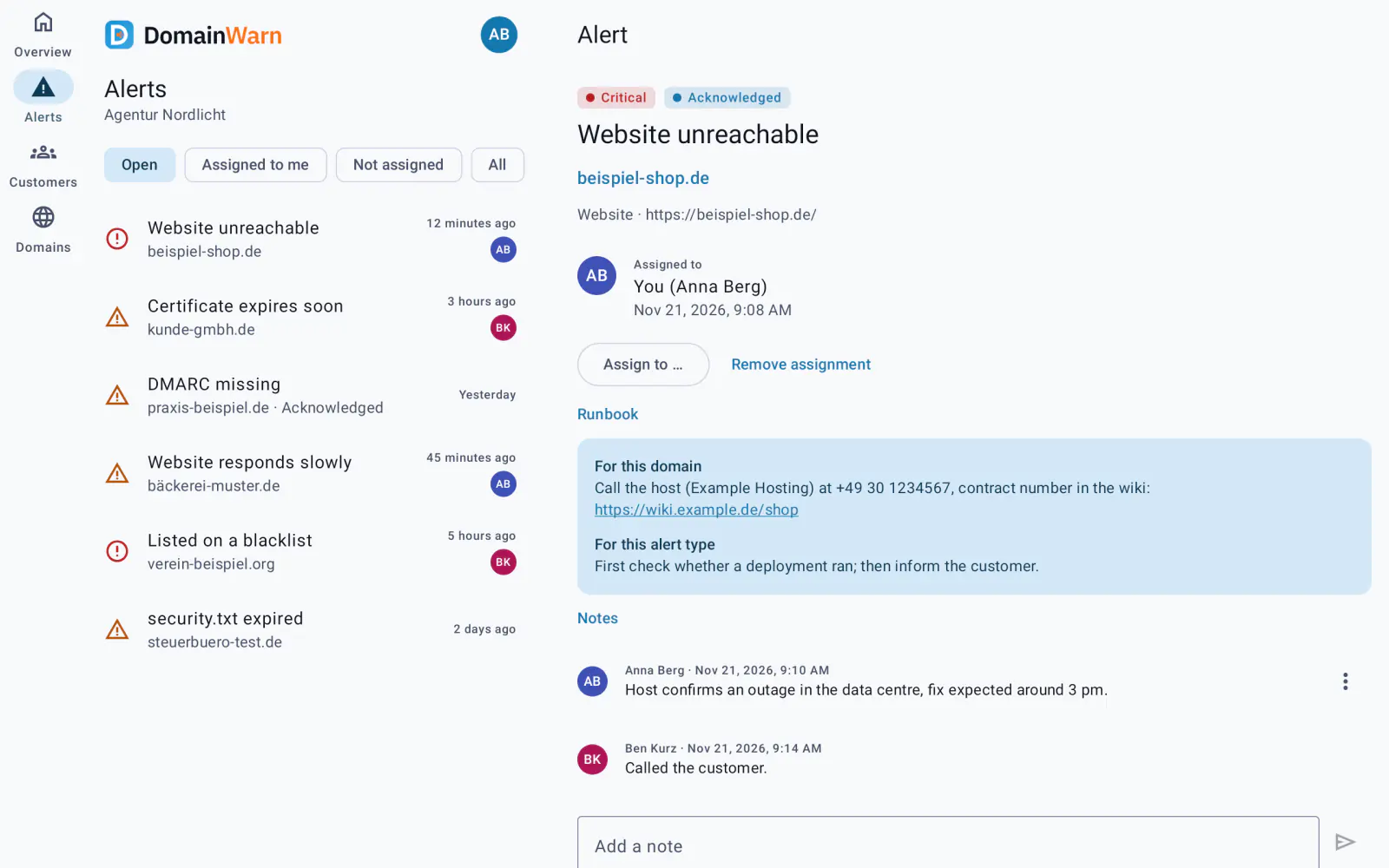
Siri, Shortcuts, Control Center, quick settings and app icon shortcuts; on iPad and Android tablets list and details side by side.
What the app looks like
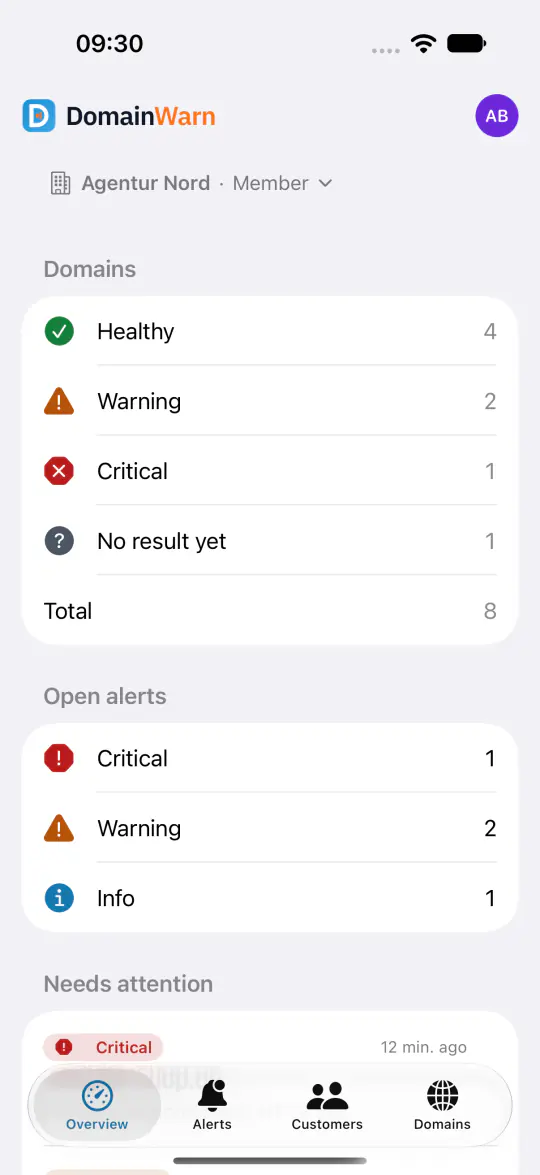
Real screenshots of the Android app with demo data – on the phone and on the tablet, where list and alert sit side by side.
iPhone, iPad and Apple Watch
The app for iPhone, iPad and Apple Watch does everything the Android app does, with Critical Alerts, Live Activity and widgets. It follows shortly on the App Store.
- Coming soon to the App Store
Requirements
- iPhone and iPad from iOS 17, Apple Watch from watchOS 10.
- Android from version 13 for phones, tablets and foldables, plus Wear OS.
- A DomainWarn account on any plan. Personal SMS from Freelancer, your logo in the widget with white-label.
- German and English, light and dark, usable with VoiceOver or TalkBack.
Frequently asked questions
When will the apps be in the App Store and on Google Play?
Does the alarm really ring on silent?
Will I be woken for every little thing?
What do the apps cost?
Learn more
No account yet? Start for free and set up monitoring in the browser – you sign in to the app later with the same account.
Start for free